One route, three phases
First you see where there is the most to gain, then I take the manual work out, and after that I keep it running if you want me to. You can stop after any phase: everything is in your name.
- now
- The schedule is retyped into the hours module by hand every day.
- then
- The schedule writes the hours itself; the employee only confirms.
- yields
- Three quarters of an hour a day and no more typing errors in the invoices.
- way back
- Runs alongside the current process and reverts with one click.
Examples for a fictional company.
Where does the time leak away, and what do I do with my systems?
The automation plan. I walk along with the people who do the work, measure what the manual work costs and give every system a verdict: keep, untangle or replace. If you have your own software, I read the code and the security as well.
- Summary for management
- Where the time goes
- The systems and my verdict
- Proposals per process
- Order and roadmap
- Appendix: code and security
The plan
What I saw, what it costs and what I propose, with per initiative what it brings and how we can roll back.
- replace Planning in Access, built by a former employee
- untangle Hours module with three Excel exports in between
- keep Accounting in Exact Online
- keep Shared mailbox, but link it to the client record
System map
Every system your business runs on, with a verdict: keep, untangle or replace.
Roadmap on one A4
What now, what in three months and what in a year, with what each step brings.
- Where the time goes
- The systems and my verdict
- The proposals, one by one
- Order and next steps
Session
We go through the plan together, with the people it affects in the room.
- what it costs
- After the intake
- how long
- About three weeks, from walking along to the session
- and after
- The plan is yours. You can take it to phase 2, or your team picks it up itself: phase 1 also stands on its own.
Read how an analysis gave a management team a decision it could defend
Who takes the manual work out and makes the switch?
I first simplify what has grown too complicated over the years and then automate what is left, one initiative at a time. Systems that hold the business back I replace or untangle while the work carries on.
| action | how often | costs |
|---|---|---|
| Retyping hours from the schedule | daily | ± 45 min |
| Assembling quotes in Word | weekly | ± 3 hours |
| Checking invoices for travel hours | monthly | ± 4 hours |
| Answering customer questions by e-mail | daily | ± 30 min |
Candidate list
Which actions cost time, how often and how long, ranked by what automating them brings.
- now
- The schedule is retyped into the hours module by hand every day.
- then
- The schedule writes the hours itself; the employee only confirms.
- yields
- Three quarters of an hour a day and no more typing errors in the invoices.
- way back
- Runs alongside the current process and reverts with one click.
Proposal per initiative
One page per process: what happens now, what the system will do, what it brings and how we can roll back. You decide.
- Hours from the schedule are now ready automatically; you only confirm.
- A quote becomes a branded PDF with one click.
- Searching customers is faster and also matches on postcode.
Release note per delivery
Every initiative goes live on its own, and your users hear in their own words what is new.
When I can start
I take on a limited number of routes at a time. This is what is free per week for building and introducing, updated by hand.
Next start: Jan 2027, 3 days a week.
Updated 25 August 2026- what it costs
- After the intake
- how long
- A fixed monthly fee and a fixed rhythm, no timesheet. At least three months, then cancellable monthly.
- and after
- Code, data and documentation are in your name and are handed over with a file. After that you can carry on without me.
Who keeps it running?
Hosting, updates, backups I actually restore to test them, and monitoring. Your users report inside the app instead of to you, and every month you get one A4 with what was reported, solved and updated. Maintenance is a choice, never a condition.
- Framework and packages updated
- Backup restore test passed
- Certificate renewed
Monthly report
One A4: what was reported, what of it was solved and what was updated in your environment. No timesheet to check.
- The draft invoice no longer counts travel hours twice.
- Attachments to a quote open in one click again.
- The schedule now shows who is off that day.
Release note
When something goes live, your users hear in their own words what is new.
- How to deploy
- Where what runs
- Who owns which account
- How to restore a backup
- Who takes over when I am out
Handover file
How to deploy, where things run, who owns which account and how to restore a backup. Whoever takes over does not have to call me.
Examples for a fictional company.
Your users report in the app
Through the Support Hub, the support desk I built myself. It comes with every plan, and you are no longer in between.
-
Report it where it goes wrong
in your appA button in the corner: question, problem or idea, one piece of text and a screenshot if useful. Done in twenty seconds.
-
Arrives complete, already sorted
with meThe report arrives with the context attached: which page, which user, which version. The hub prepares a draft with it.
-
An answer from a human
backI review the draft, change what needs changing, and send. The reporter gets an answer by e-mail in their own language.
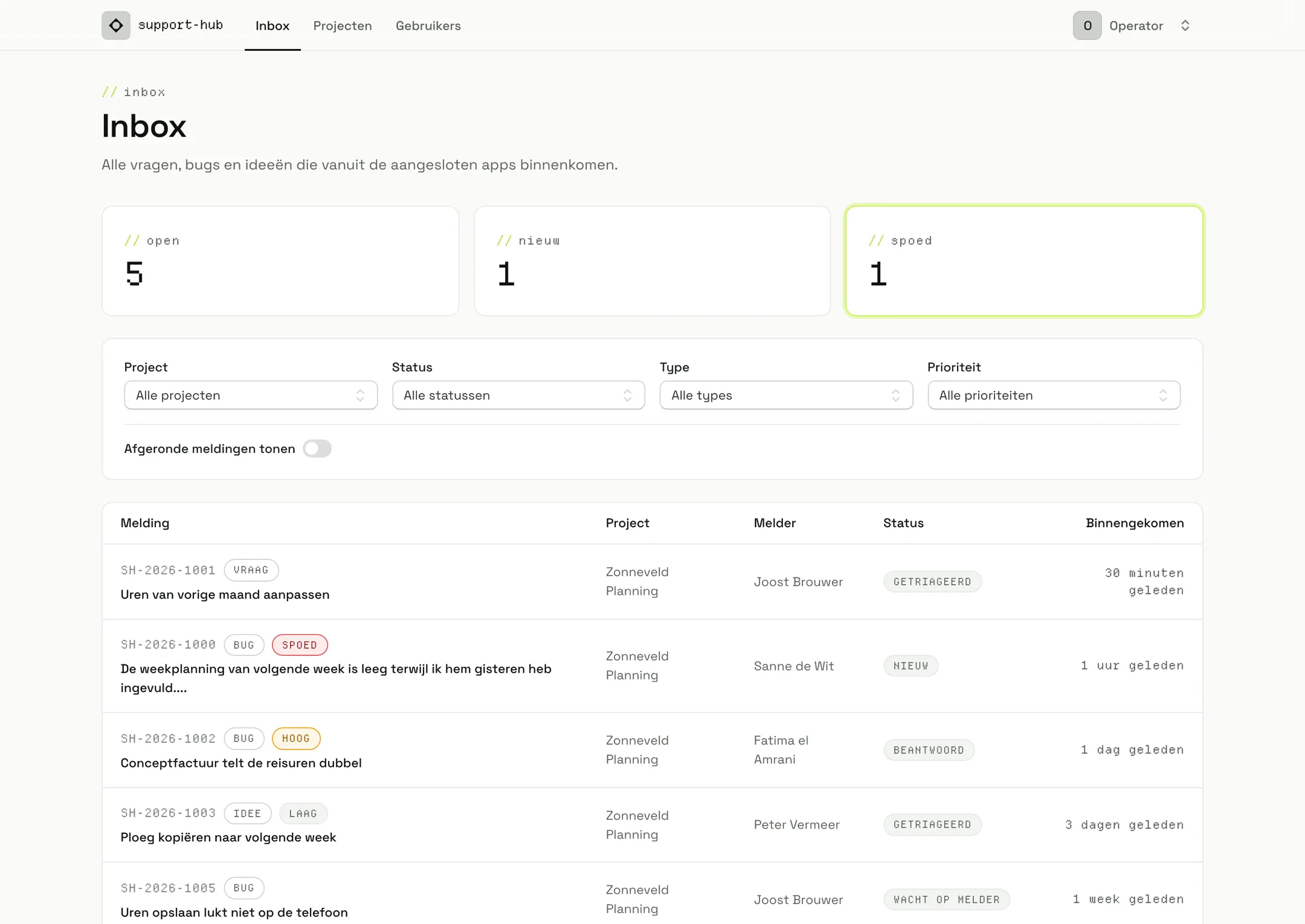
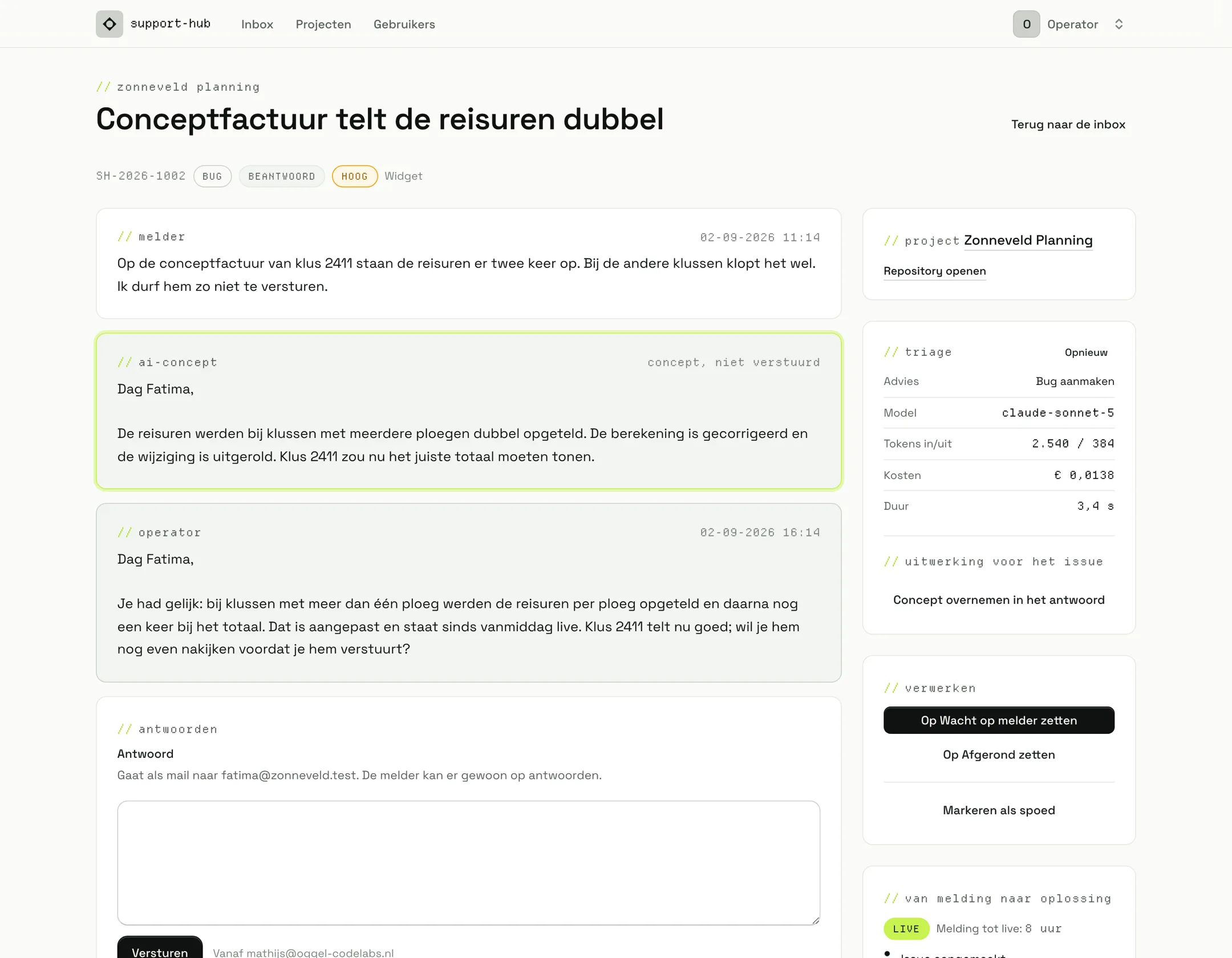
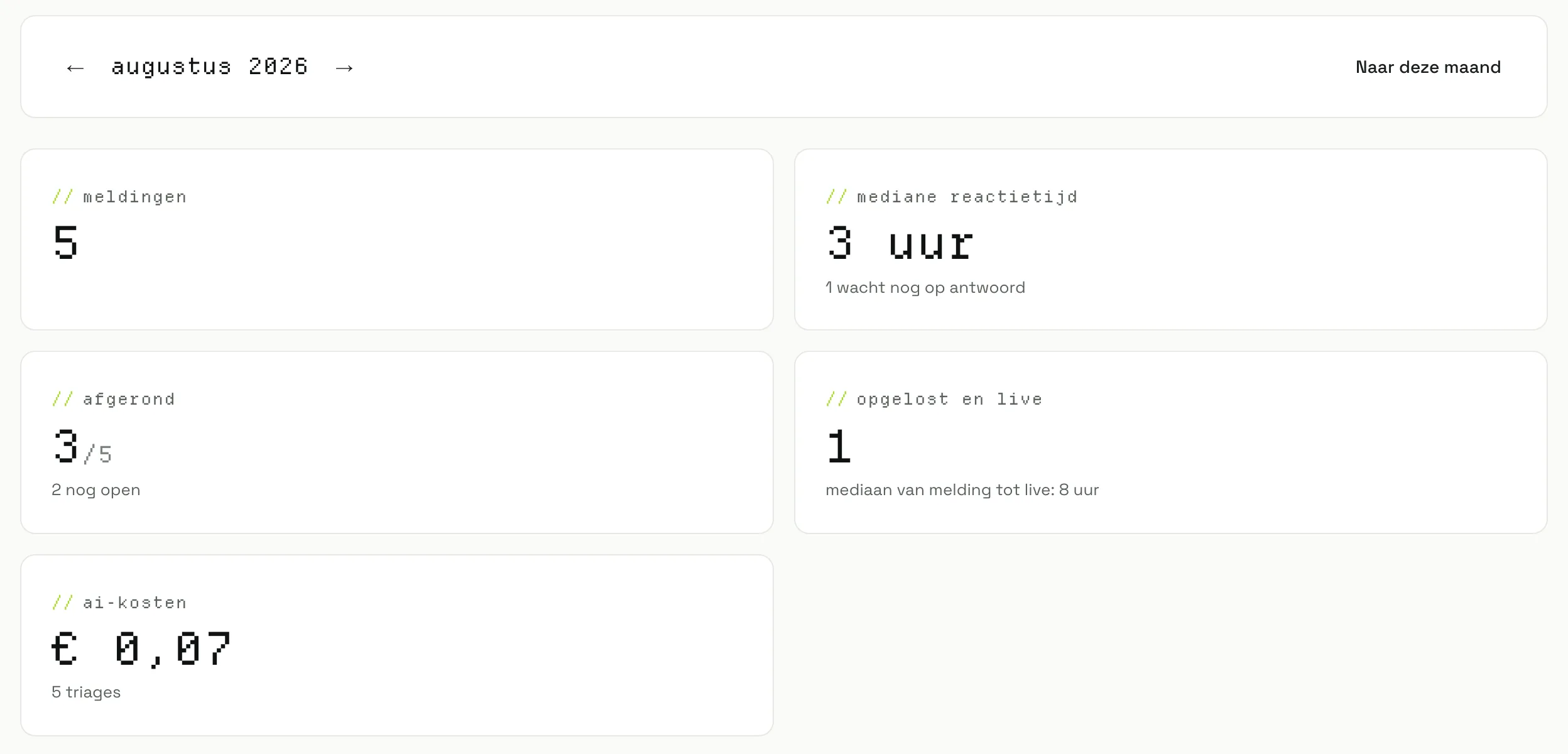
Screenshots from the hub with invented demo data. Never a client's data.
Three plans, one monthly fee
Excluding VAT and cancellable monthly. Connecting to the Support Hub is included. The difference is how many reports are included and how fast someone looks at them.
Basis
€ 275 per month, excluding VAT- Hosting and server management, where I host
- Updates, security, backups and monitoring
- Support desk in your app, up to 10 reports a month
- Every report read and answered within 2 business days
Pro
€ 595 per month, excluding VAT- Everything in Basis
- Support desk up to 50 reports a month
- Inbox read every business day, response within 4 business hours
- Small changes are included in your plan
- A quarterly review together, three viewers in the hub
Premium
€ 1.150 per month, excluding VAT- Everything in Pro
- Support desk unlimited, within fair use
- Response within 4 business hours, solution the same business day
- Small changes with priority
- A fixed point of contact, priority in the schedule, a monthly review
The rules, up front
- No surcharge per report. Two months in a row above your bundle and you move up to the next plan; the counter is in your monthly report.
- A report is at most an hour of work. Anything bigger is a job: flagged up front, fixed price.
- An outage does not count towards your bundle: I pick it up the same business day on every plan.
- Your data stays in Europe, under a data processing agreement.
Software I did not build I will not take on blind: then we start with phase 1. To the analysis
- what it costs
- From € 275 per month
- how long
- Ongoing, cancellable monthly
- and after
- If you stop, everything is handed over with the file: code, access and documentation are already yours.
One person, from analysis to maintenance
I am Mathijs Oggel, and for ten years I have built and maintained software running live at clients. Whoever makes the plan also builds it and reads the reports afterwards. No account manager, no changing teams.
- Code and access stay with you, in your own GitHub organisation and vault
- Every repo holds a handover file
- Every report and every monthly report is exportable
- If I am out for longer, a fellow developer takes over; we agree who at the start

Where this already runs
See the cases




Book a thirty-minute intake
Free and without obligation. You tell me where you stand, I say honestly which phase makes sense. After that you get a proposal with a price.
Loading the calendar_